 by
by Introduction
Have you ever visited a website that looked attractive but was difficult to use? Or opened an app where you could find everything quickly without any confusion? These experiences show why UI and UX design are important.
UI and UX design are used to create websites, mobile apps, online shopping platforms, and other digital products. They help businesses make their products visually appealing and easy to use.
For students interested in creativity, technology, and problem-solving, learning UI and UX design can be a useful way to develop digital skills. If you are a beginner, understanding the difference between these two concepts is the best place to start.
What Is UI Design?
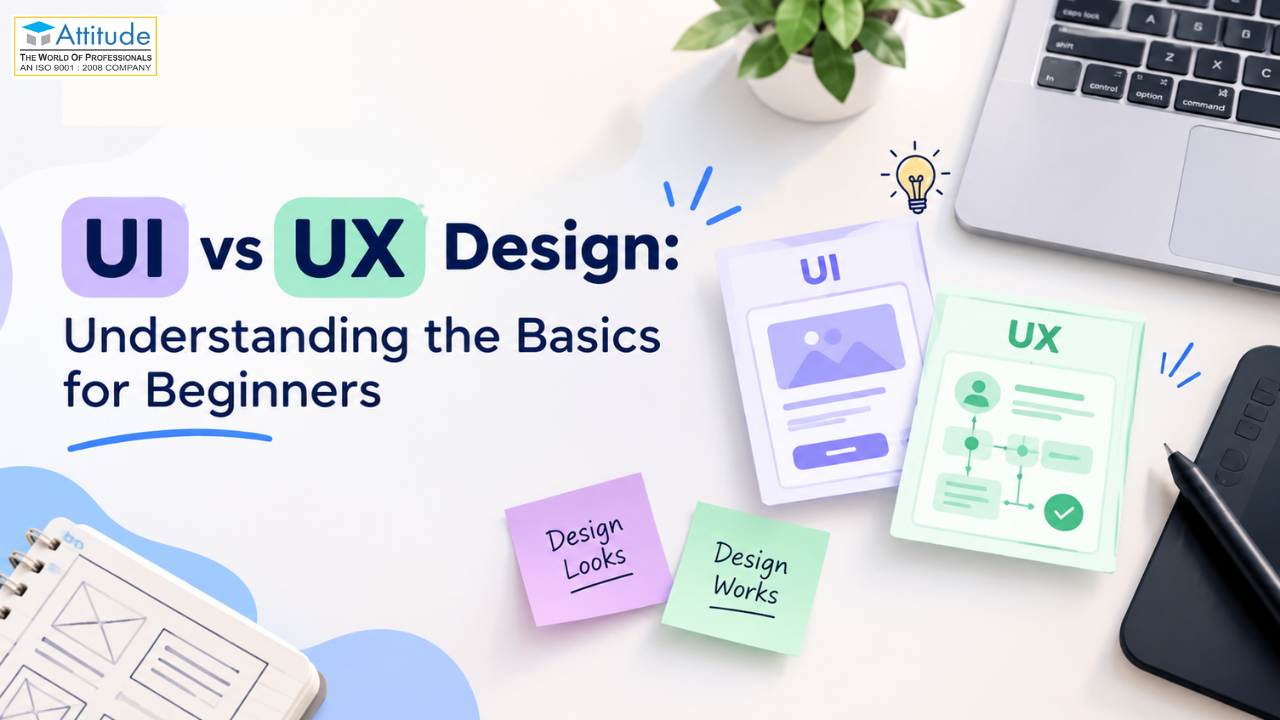
UI stands for User Interface. It includes the visual elements that people see when they use a website or mobile application.
A UI designer focuses on making these elements look organised, attractive, and easy to understand.
Common elements of UI design include:
- Buttons and menus
- Colours and fonts
- Icons and images
- Page layouts
- Forms and navigation bars
- Spacing between different elements
For example, on a shopping website, the search bar, product images, shopping cart, and checkout button are all parts of the user interface.
A good interface helps users understand where to click and what action to take next.
What Is UX Design?
UX stands for User Experience. It focuses on how easily people can use a website, application, or digital product to complete their tasks.
A UX designer tries to understand users’ needs and solve problems that make a product confusing or inconvenient.
UX design may involve:
- Understanding what users need
- Researching common problems
- Planning website navigation
- Creating simple user journeys
- Preparing wireframes
- Testing designs with users
- Improving difficult steps
For example, imagine that customers find it difficult to complete an online payment. A UX designer studies the process, identifies confusing steps, and suggests ways to make checkout easier.
The goal is to create a product that is useful, convenient, and easy to navigate.
UI vs UX Design: What Is the Difference?
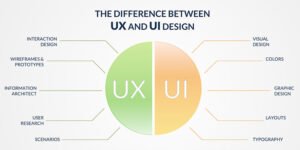
UI and UX design work together, but they focus on different aspects of a digital product.
| UI Design | UX Design |
| Focuses on how a product looks | Focuses on how a product works for users |
| Includes colours, fonts, icons, and buttons | Includes research, planning, and usability |
| Makes screens visually clear | Makes tasks easier to complete |
| Focuses on visual consistency | Focuses on the overall user journey |
| Answers, “How should it look?” | Answers, “How easy is it to use?” |
Consider a college admission website. UI design makes the admission button visible and the page easy to read. UX design ensures students can find course details, understand admission requirements, and complete their applications without unnecessary difficulty.
Both are necessary to create a good digital experience.
Why Should Students Learn UI and UX Design?
UI and UX design combine creativity with practical problem-solving. Students can begin learning the basics without advanced coding knowledge.
Here are five benefits of learning these skills.
- Improve creativity: Learn how colours, fonts, images, and layouts work together.
- Understand user behaviour: Discover why some websites are easier to use than others.
- Create practical projects: Design website pages, mobile app screens, and interactive prototypes.
- Develop problem-solving skills: Learn how to identify design problems and create useful solutions.
- Explore career opportunities: Prepare for roles related to interface design, user experience, and digital product design.
Students interested in UX Design Fundamentals in Yamuna Vihar can begin with design principles, user research, wireframing, and usability testing. These basics provide a foundation for more advanced learning.
Which UI and UX Design Tools Should Beginners Learn?
Design tools help students turn their ideas into website layouts and app screens. You do not need to learn every tool at once. Start with one and practise regularly.
1. Figma
Figma is a popular tool for creating website designs, mobile app screens, wireframes, and interactive prototypes.
Beginners can use it to arrange buttons, images, text, and menus before a website or app is developed.
2. Adobe Photoshop
Photoshop is mainly used for image editing and preparing visual assets. It can help designers adjust images and create graphics for digital projects.
3. Canva
Canva is useful for learning basic visual design, colour combinations, typography, and layouts. It can help beginners develop an understanding of visual presentation, although dedicated UI/UX tools are needed for more specialised design work.
4. FigJam
FigJam helps users organise ideas, create simple diagrams, and plan user journeys. It is useful during the early stages of a design project.
For most beginners, starting with Figma and learning basic wireframing is a practical approach.
How Can Beginners Practise UI and UX Design?
The best way to understand UI and UX is to create something yourself. You can begin with a simple website or mobile app idea.
Follow these six steps:
Step 1: Choose a project. Select something familiar, such as a college website, food delivery app, or online shopping page.
Step 2: Understand the users. Think about who will use the product and what they want to accomplish.
Step 3: Create a wireframe. Make a basic layout showing where headings, images, buttons, and menus will appear.
Step 4: Design the screens. Choose colours, fonts, icons, and spacing to make the interface clear.
Step 5: Build a prototype. Connect the screens to show how users would move from one page to another.
Step 6: Test and improve. Ask someone to try your design. Notice where they get confused and make the necessary changes.
These small projects help students understand how design decisions affect real users. They can also become the first examples in a design portfolio.
What Should You Check Before Enrolling?
Before choosing a course, ask these questions:
- Does the syllabus cover both UI and UX?
- Will I learn Figma and prototyping?
- Are practical projects included?
- Will I receive feedback on my designs?
- Will I get opportunities to build a portfolio?
- Does the course match my current skill level?
Students looking for a UI UX Design Course Near Me should compare nearby options using these points instead of selecting a course based only on its advertisements.
If you want a formal credential, compare the syllabus and assessment requirements of a UI UX Design Certification in Yamuna Vihar or a UI UX Design Certification in Uttam Nagar. Students can also explore UI UX Certification in Uttam Nagar options that match their learning goals.
Remember that a certificate can document your training, but practical projects and a strong portfolio are also important when demonstrating your skills.
Career Opportunities in UI and UX Design
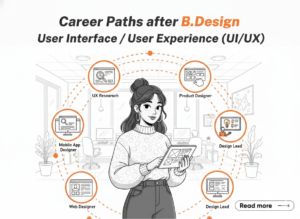
After learning the basics and practising through projects, students can explore different career paths in digital design.
UI Designer: Creates the visual layouts of websites and mobile applications.
UX Designer: Studies user needs and improves how people interact with digital products.
Product Designer: Works on the appearance, usability, and overall design of digital products.
Interaction Designer: Plans how users interact with buttons, menus, forms, and other interface elements.
UX Research Assistant: Helps collect information about users and understand their problems.
The responsibilities of these roles can overlap. Career opportunities depend on practical skills, portfolio quality, communication, and experience.
Final Thoughts
UI and UX design are closely connected, but they solve different problems. UI design focuses on the visual appearance of a website or application, while UX design focuses on making it useful and easy to navigate.
As a beginner, start with the basic concepts, learn Figma, and practise by designing a simple website or mobile app. Gradually improve your work and build a portfolio that shows your design process.
Whether you are exploring UX Design Fundamentals in Yamuna Vihar, comparing a UI UX Designer Course in Uttam Nagar, or looking for a suitable UI/UX certification, focus on practical learning and projects that help you develop real skills.
You do not need to master everything immediately. Start small, practise consistently, and improve your designs with every project.visit us