 by
by Introduction
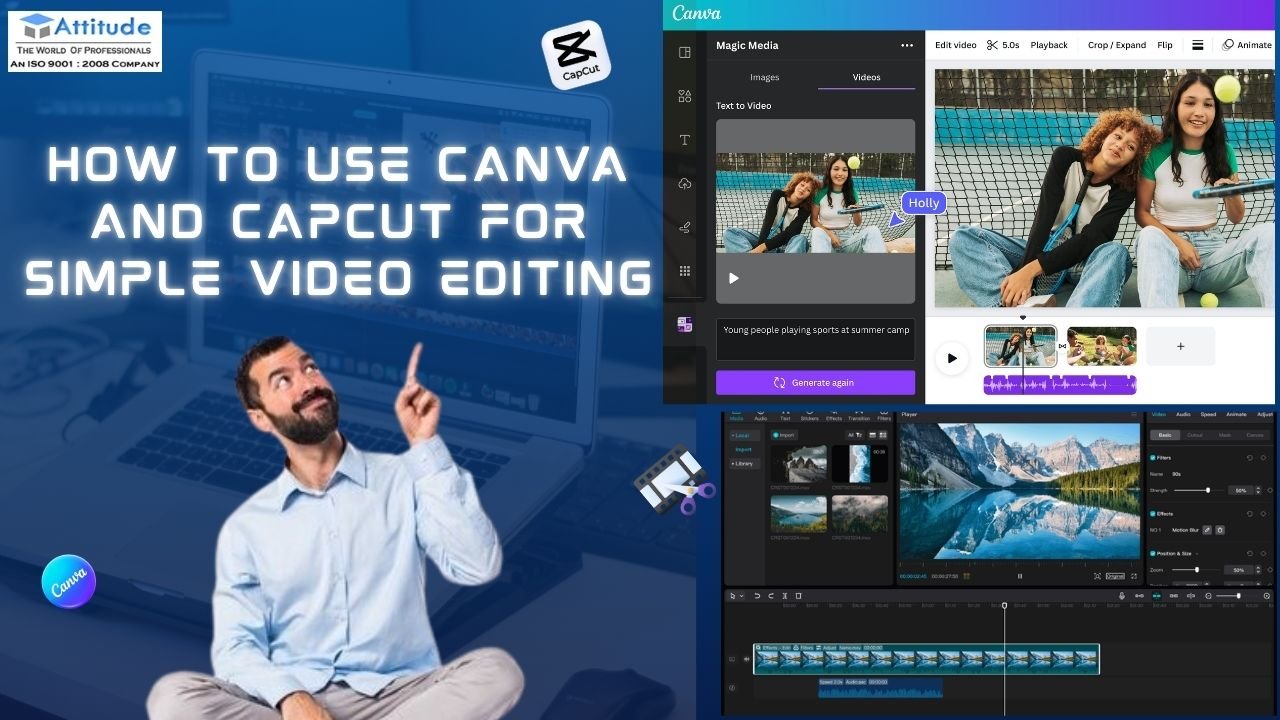
In today’s fast-paced digital world, video content has become one of the most powerful tools for communication and creativity. Whether it’s a YouTube video, social media reel, or a presentation clip — great editing can make all the difference. For students learning the basics of video editing, tools like Canva and CapCut offer the perfect balance of simplicity and creativity.
If you’re just beginning your journey at a Video Editing this guide will help you master simple yet effective video editing skills.
1. Why Choose Canva and CapCut for Beginners
Before diving into complex editing software, beginners should start with easy and intuitive tools. Both Canva and CapCut are free, user-friendly, and perfect for creating professional-looking videos without needing advanced technical skills.
- Canva is great for designing visual-based videos like social media posts, presentations, and explainer videos.
- CapCut is ideal for short-form content such as YouTube Shorts, Instagram Reels, and TikTok videos.
2. Getting Started with Canva for Video Editing
Canva isn’t just for graphic design — it’s a complete video editing tool that lets you combine visuals, audio, and motion seamlessly.
Here’s how to get started:
- Choose a Template:
Open Canva and select a video template based on your project (e.g., Instagram Reel, YouTube Intro, or Presentation Video). - Upload Media:
Add your video clips, photos, or recordings. Canva allows drag-and-drop uploads for convenience. - Add Text and Effects:
Use animated text, icons, or shapes to make your content engaging. You can even add transitions and effects to enhance the flow. - Use Audio Smartly:
Choose background music or sound effects from Canva’s library to match your video’s mood. - Export and Share:
Once done, export the video in your desired format and resolution.
Students in Video Editing Classes in Uttam Nagar often use Canva to learn about color balance, typography, and storytelling through visuals, which are essential skills for every video editor.
3. Editing Like a Pro with CapCut
CapCut, developed by the creators of TikTok, has gained massive popularity due to its advanced features and simplicity. It’s perfect for anyone who wants to create short, impactful videos quickly.
Here’s how students can use CapCut effectively:
- Start a New Project:
Open CapCut and import your video clips or photos. You can also access stock footage directly within the app. - Trim and Cut:
Use the cutting tool to remove unnecessary parts and keep your video crisp. - Add Transitions and Filters:
CapCut offers smooth transitions, visual effects, and cinematic filters that make your video look professional. - Include Captions and Stickers:
Adding captions improves clarity, especially for educational or social content. Stickers and emojis add a fun element for platforms like Instagram or YouTube. - Use Audio Sync and Beat Matching:
CapCut’s audio beat detection helps sync your visuals perfectly with the background music — a must-learn feature for students at any Video Editing aiming to create rhythmic, high-quality videos.
4. Combining Canva and CapCut for the Best Results
Here’s a simple tip — use both tools together for creative and professional-quality videos.
- Design your video layout, intro, or outro in Canva.
- Export it and import it into CapCut for advanced trimming, transitions, and effects.
This method allows students to combine creativity with precision, producing polished and engaging videos — even without expensive software.
5. Why Students Should Start with Simple Tools
Students learning video editing at a Video Editing Coaching Centre in Yamuna Vihar or similar institutes often begin with Canva and CapCut because:
- They save time and simplify editing tasks.
- No need for high-end computers — both work well on mobile and web.
- They help build a strong creative foundation before moving on to tools like Premiere Pro or After Effects.
These platforms also make it easy to practice daily editing, which is crucial for skill improvement and confidence building.
6. Conclusion
Learning video editing doesn’t have to be complicated. Tools like Canva and CapCut make it possible for beginners to create stunning videos using simple techniques.
By joining structured programs such as Video Editing Classes in Uttam Nagar or training at a Video Editing Coaching Centre in Yamuna Vihar, students can practice storytelling, composition, and design — the building blocks of every great editor.
So, open your laptop or phone, pick a tool, and start creating. Remember, great editors aren’t made overnight — they’re made through practice, creativity, and curiosity.visit us
Suggested Links: –