Enter Your Details

Professional VFX program covering film, OTT, and gaming with training in CGI, compositing, motion graphics, FX simulation, and industry workflows.
CGI & VFX Fundamentals: Understand the core concepts of computer-generated imagery and the complete VFX production pipeline.
Compositing Techniques: Learn green screen removal, color correction, rotoscoping, tracking, and seamless shot integration.
3D Modeling & Texturing: Create detailed 3D assets and apply realistic textures for film, OTT, and game environments.
Lighting & Rendering: Master lighting setups and rendering workflows to achieve cinematic-quality visuals.
Motion Graphics: Design dynamic titles, animations, and graphics suitable for films, streaming content, and games.
FX Simulations: Create advanced effects like particles, fire, smoke, explosions, and environmental simulations.
Digital Matte Painting: Build digital environments and set extensions for enhanced storytelling.
Industry Software Training: Work with industry-standard tools used in top studios worldwide.
Production Workflow & Shot Management: Learn real studio pipelines, asset organization, shot breakdowns, and quality control.
Portfolio & Demo Reel Development: Build a professional VFX reel showcasing your strongest shots for studio placements.
Students should be comfortable using a computer, managing files, and working with basic software tools.
10th pass is required; 12th pass or graduation is preferred, but not compulsory.
Students must have a passion for visual effects, movies, animation, or game visuals.

.jpg)
.jpg)
7 Days Money back Guarantee*
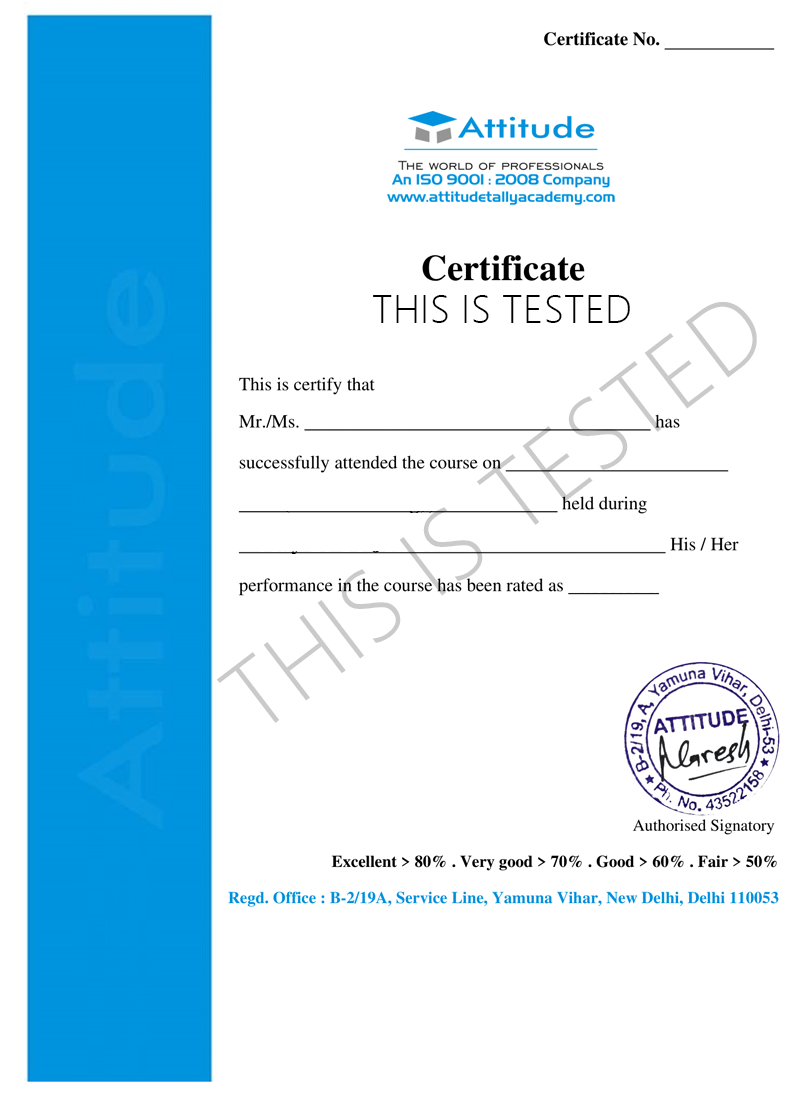
Take the final exam online to complete the PROFESSIONAL VFX ARTIST PROGRAM(FILM, OTT & GAMING) after which you will be able to download your certificate from Attitude Trainings



CGI & VFX Fundamentals: Understand the core concepts of computer-generated imagery and the complete VFX production pipeline.
Compositing Techniques: Learn green screen removal, color correction, rotoscoping, tracking, and seamless shot integration.
3D Modeling & Texturing: Create detailed 3D assets and apply realistic textures for film, OTT, and game environments.
Lighting & Rendering: Master lighting setups and rendering workflows to achieve cinematic-quality visuals.
Motion Graphics: Design dynamic titles, animations, and graphics suitable for films, streaming content, and games.
FX Simulations: Create advanced effects like particles, fire, smoke, explosions, and environmental simulations.
Digital Matte Painting: Build digital environments and set extensions for enhanced storytelling.
Industry Software Training: Work with industry-standard tools used in top studios worldwide.
Production Workflow & Shot Management: Learn real studio pipelines, asset organization, shot breakdowns, and quality control.
Portfolio & Demo Reel Development: Build a professional VFX reel showcasing your strongest shots for studio placements.
Students should be comfortable using a computer, managing files, and working with basic software tools.
10th pass is required; 12th pass or graduation is preferred, but not compulsory.
Students must have a passion for visual effects, movies, animation, or game visuals.

Take all of your face to face classes with trainer & get Live Sessions with Trainer for Doubts Clearing

Test your knowledge through quizzes & module tests & offline assessment

Get hands on practice by doing assignments and project

Take the final exam to get certified in PROFESSIONAL VFX ARTIST PROGRAM(FILM, OTT & GAMING)
The Professional VFX Artist Program (Film, OTT & Gaming) is a specialized training course designed to prepare students for real-world careers in visual effects across multiple entertainment industries. It provides in-depth instruction in CGI, compositing, motion graphics, FX simulations, 3D environments, and digital storytelling. Learners gain hands-on experience with industry-standard software and workflows used in films, streaming content, and modern games. The program focuses on production-ready skills, creative problem-solving, and building a strong demo reel, enabling students to confidently step into studio roles such as VFX artist, compositor, motion graphics designer, and FX technical artist.
1.1 What is VFX? Types of VFX used in Film, OTT & Gaming
1.2 Complete post-production pipeline understanding
1.3 Types of studios & job roles (Roto, Compositing, Matchmove, FX)
1.4 Software overview: After Effects, Nuke, Maya/Blender, Mocha
Practical: Analyze VFX breakdowns from top movies/series.
2.1 Green screen shooting fundamentals
2.2 Chroma keying techniques
2.3 Removing spill, edge cleanup & color correction
2.4 Working with different lighting setups
Practical: Key out a green screen actor & place them in a new environment.
3.1 Roto tools & bezier shapes
3.2 Tracking-assisted rotoscoping
3.3 Character, hair & motion roto
3.4 Wire removal, patching & cleanup
Practical: Roto a full moving subject + remove unwanted objects.
4.1 Layer-based & node-based compositing
4.2 Blending CGI & live footage
4.3 Color correction, curves, hue & luminance
4.4 Render passes & multi-layer compositing
Practical: Composite a multi-layer scene using AE or Nuke.
5.1 2D motion tracking & stabilization
5.2 3D camera tracking for film
5.3 Solving tracking errors & refining tracks
5.4 Integrating 3D elements into live-action
Practical: Add CGI object into live scene using camera tracking.
6.1 Polygon modeling fundamentals
6.2 Hard-surface & organic modeling
6.3 UV mapping & texture baking
6.4 Asset preparation for compositing
Practical: Model & texture a VFX-worthy prop or environment.
7.1 Realistic lighting techniques
7.2 HDRI-based lighting
7.3 PBR texturing basics
7.4 Rendering with Arnold, V-Ray or Cycles
Practical: Light & render a cinematic 3D scene.
9.1 Basics of particle systems
9.2 Fire, smoke, explosions & debris
9.3 Rain, snow, fog & wind simulations
9.4 Water & fluid FX
9.5 Destruction FX (buildings, glass, rocks)
Practical: Create 2–3 particle FX shots for a final reel.
11.1 Game VFX concepts (FX for Unreal/Unity engines)
11.2 Creating game-ready elemental FX (fire, hit FX, magic FX)
11.3 Exporting assets & optimization
Practical: Create one game-ready FX sequence.
12.1 Editing basics in Premiere/Resolve
12.2 Adding sound FX, ambience & timing
12.3 Render & output formats for film & OTT
Practical: Edit full sequence with audio.
13.1 Select best project shots
13.2 Build a professional VFX artist showreel
13.3 Branding, titles & transitions for your reel
Practical: Create a 30–60 second professional showreel.
Students produce a full VFX sequence, including:
✔ Storyboard
✔ Green screen footage
✔ Roto + paint
✔ Tracking + matchmove
✔ CGI elements
✔ Particle FX
✔ Compositing
✔ Color grading
✔ Final output for film/OTT standards
Studio workflow introduction
Resume & portfolio preparation
Freelancing & job guidance
Interview preparation
Production-quality best practices
The Professional VFX Artist Program (Film, OTT & Gaming) is a specialized training course designed to prepare students for real-world careers in visual effects across multiple entertainment industries. It provides in-depth instruction in CGI, compositing, motion graphics, FX simulations, 3D environments, and digital storytelling. Learners gain hands-on experience with industry-standard software and workflows used in films, streaming content, and modern games. The program focuses on production-ready skills, creative problem-solving, and building a strong demo reel, enabling students to confidently step into studio roles such as VFX artist, compositor, motion graphics designer, and FX technical artist.
1.1 What is VFX? Types of VFX used in Film, OTT & Gaming
1.2 Complete post-production pipeline understanding
1.3 Types of studios & job roles (Roto, Compositing, Matchmove, FX)
1.4 Software overview: After Effects, Nuke, Maya/Blender, Mocha
Practical: Analyze VFX breakdowns from top movies/series.
2.1 Green screen shooting fundamentals
2.2 Chroma keying techniques
2.3 Removing spill, edge cleanup & color correction
2.4 Working with different lighting setups
Practical: Key out a green screen actor & place them in a new environment.
3.1 Roto tools & bezier shapes
3.2 Tracking-assisted rotoscoping
3.3 Character, hair & motion roto
3.4 Wire removal, patching & cleanup
Practical: Roto a full moving subject + remove unwanted objects.
4.1 Layer-based & node-based compositing
4.2 Blending CGI & live footage
4.3 Color correction, curves, hue & luminance
4.4 Render passes & multi-layer compositing
Practical: Composite a multi-layer scene using AE or Nuke.
5.1 2D motion tracking & stabilization
5.2 3D camera tracking for film
5.3 Solving tracking errors & refining tracks
5.4 Integrating 3D elements into live-action
Practical: Add CGI object into live scene using camera tracking.
6.1 Polygon modeling fundamentals
6.2 Hard-surface & organic modeling
6.3 UV mapping & texture baking
6.4 Asset preparation for compositing
Practical: Model & texture a VFX-worthy prop or environment.
7.1 Realistic lighting techniques
7.2 HDRI-based lighting
7.3 PBR texturing basics
7.4 Rendering with Arnold, V-Ray or Cycles
Practical: Light & render a cinematic 3D scene.
9.1 Basics of particle systems
9.2 Fire, smoke, explosions & debris
9.3 Rain, snow, fog & wind simulations
9.4 Water & fluid FX
9.5 Destruction FX (buildings, glass, rocks)
Practical: Create 2–3 particle FX shots for a final reel.
11.1 Game VFX concepts (FX for Unreal/Unity engines)
11.2 Creating game-ready elemental FX (fire, hit FX, magic FX)
11.3 Exporting assets & optimization
Practical: Create one game-ready FX sequence.
12.1 Editing basics in Premiere/Resolve
12.2 Adding sound FX, ambience & timing
12.3 Render & output formats for film & OTT
Practical: Edit full sequence with audio.
13.1 Select best project shots
13.2 Build a professional VFX artist showreel
13.3 Branding, titles & transitions for your reel
Practical: Create a 30–60 second professional showreel.
Students produce a full VFX sequence, including:
✔ Storyboard
✔ Green screen footage
✔ Roto + paint
✔ Tracking + matchmove
✔ CGI elements
✔ Particle FX
✔ Compositing
✔ Color grading
✔ Final output for film/OTT standards
Studio workflow introduction
Resume & portfolio preparation
Freelancing & job guidance
Interview preparation
Production-quality best practices
Take all of your face to face classes with trainer & get Live Sessions with Trainer for Doubts Clearing
Test your knowledge through quizzes & module tests & offline assessment
Get hands on practice by doing assignments and project
Take the final exam to get certified in PROFESSIONAL VFX ARTIST PROGRAM(FILM, OTT & GAMING)
The Professional VFX Artist Program is designed to equip learners with industry-ready visual effects skills for film, OTT platforms, and gaming. This course provides hands-on training in CGI, compositing, 3D environments, motion graphics, and FX simulations using leading VFX software and studio workflows. Students learn how to create high-quality visual effects, develop a strong production portfolio, and prepare for career roles in top studios across film, streaming, and game development. This program is ideal for anyone aiming to build a successful VFX career in today’s rapidly expanding digital entertainment industry.

You can post your doubts on the Q&A forum which will be answered by the teachers within 24 hours.