Enter Your Details


Learn professional VFX, CGI, compositing, 3D modeling, animation, simulations, and create cinematic visual effects for films, OTT and gaming projects.
Basics of VFX, CGI & post-production pipeline
Green screen (chroma) setup, keying & rotoscoping
Compositing techniques in After Effects & Nuke
3D modelling, texturing & UV mapping
Lighting, rendering & shading techniques
Character rigging & animation basics
Particle effects (fire, smoke, explosions, dust)
Dynamic simulations (cloth, fluid, destruction)
Motion tracking & camera tracking
Matte painting & digital environment creation
Integrating CGI with live-action footage
Color correction & color grading
Creating cinematic VFX shots & sequences
VFX for films, OTT shows & gaming
Building a professional VFX portfolio/showreel
Basic Computer Knowledge – Students should know how to operate a computer and handle files.
Minimum Education – 10th pass required; 12th pass or graduation preferred (not mandatory).
Interest in Creativity & Visual Arts – Curiosity for films, CGI, VFX, animation, or gaming.
System for Practice (Optional but Helpful) –
• Windows PC/Laptop
• Minimum 8GB RAM (16GB recommended)
• Graphics Card 2GB or above (

.jpg)
.jpg)
7 Days Money back Guarantee*
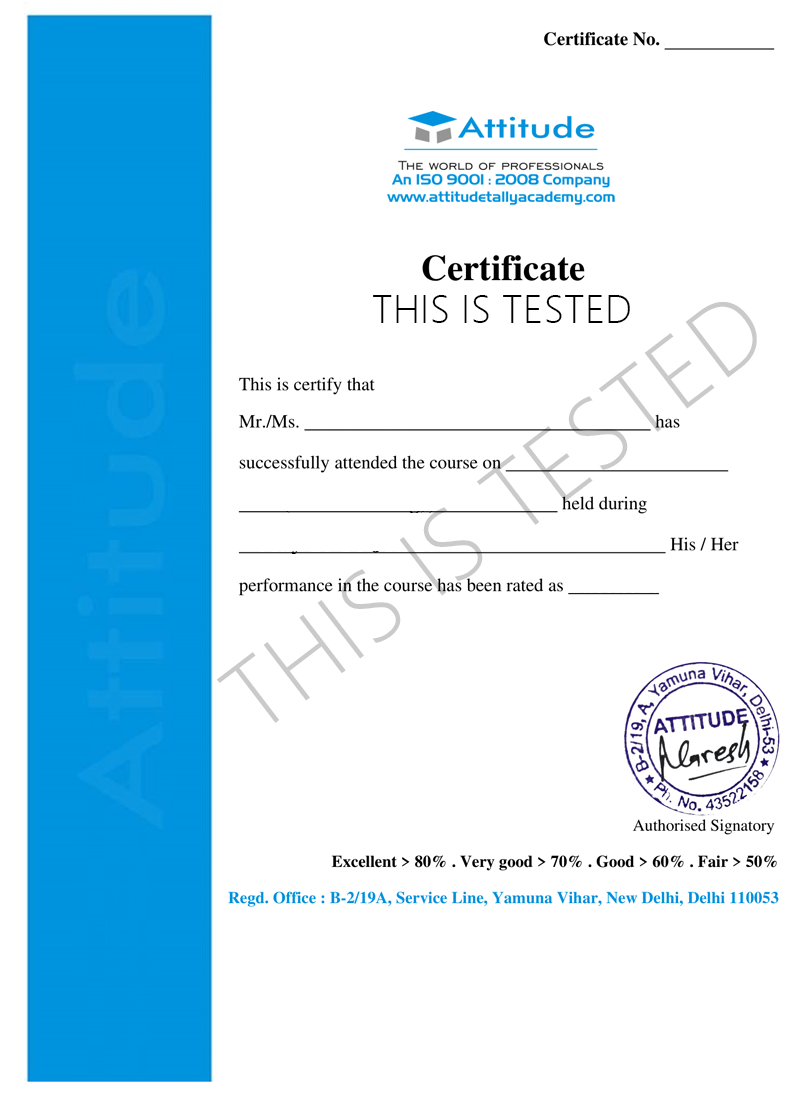
Take the final exam online to complete the Advanced VFX & CGI Mastery Course after which you will be able to download your certificate from Attitude Trainings



Basics of VFX, CGI & post-production pipeline
Green screen (chroma) setup, keying & rotoscoping
Compositing techniques in After Effects & Nuke
3D modelling, texturing & UV mapping
Lighting, rendering & shading techniques
Character rigging & animation basics
Particle effects (fire, smoke, explosions, dust)
Dynamic simulations (cloth, fluid, destruction)
Motion tracking & camera tracking
Matte painting & digital environment creation
Integrating CGI with live-action footage
Color correction & color grading
Creating cinematic VFX shots & sequences
VFX for films, OTT shows & gaming
Building a professional VFX portfolio/showreel
Basic Computer Knowledge – Students should know how to operate a computer and handle files.
Minimum Education – 10th pass required; 12th pass or graduation preferred (not mandatory).
Interest in Creativity & Visual Arts – Curiosity for films, CGI, VFX, animation, or gaming.
System for Practice (Optional but Helpful) –
• Windows PC/Laptop
• Minimum 8GB RAM (16GB recommended)
• Graphics Card 2GB or above (

Take all of your face to face classes with trainer & get Live Sessions with Trainer for Doubts Clearing

Test your knowledge through quizzes & module tests & offline assessment

Get hands on practice by doing assignments and project

Take the final exam to get certified in Advanced VFX & CGI Mastery Course
The “Advance VFX & CGI Mastry Course” at Attitude Tally Academy Institute is designed for students who want to build a career in Visual Effects for films, OTT series, advertising, and gaming.
This course covers the entire VFX and CGI pipeline—from green screen compositing and rotoscoping to 3D modeling, simulations, particle FX, animation, and cinematic rendering.
Students gain hands-on training with industry-standard software like After Effects, Maya/3ds Max, Blender, Nuke, and Photoshop, and work on real-world VFX shots to build a strong professional showreel.
By the end of the program, learners become capable of creating studio-quality VFX sequences, integrating CGI with live action, and applying for jobs in production houses, studios, OTT content creators, and gaming companies.
1.1 What is VFX? Types of VFX
1.2 Understanding CGI & post-production pipeline
1.3 VFX in films, OTT & gaming industry
1.4 Overview of VFX software (AE, Nuke, Blender, Maya)
Practical: Breakdown analysis of VFX shots from films.
2.1 Green screen setup basics
2.2 Chroma keying techniques
2.3 Removing spill & refining edges
2.4 Rotoscoping tools & workflow
2.5 Garbage mattes & clean plates
Practical: Rotoscope a moving subject + keying a full scene.
3.1 Layer-based vs Node-based compositing
3.2 Understanding alphas, channels & masks
3.3 Blending modes & scene integration
3.4 Color correction & grading basics
Practical: Composite a basic multi-layer scene in After Effects.
4.1 2D motion tracking
4.2 3D camera tracking
4.3 Tracking markers & solving tracking errors
4.4 Integrating 3D objects into live-action
Practical: Create a camera-tracked scene with CGI elements.
5.1 Basics of 3D modeling – polygons & topology
5.2 Creating props, environment, simple characters
5.3 UV unwrapping
5.4 Texturing in Substance/Baking maps
Practical: Model & texture a 3D environment or prop.
6.1 Light types & realistic lighting
6.2 HDRI lighting
6.3 Basics of Arnold / Cycles / V-Ray rendering
6.4 Render passes (Diffuse, Specular, AO, Shadows)
Practical: Render a cinematic 3D shot.
7.1 Skeleton creation & binding
7.2 Weight painting
7.3 Controllers & IK/FK setup
7.4 Animating props, characters & creatures
Practical: Animate a simple character movement.
8.1 Particle systems & generators
8.2 Fire, smoke, explosions & sparks
8.3 Fluid simulations (water, liquid splashes)
8.4 Destruction simulations (debris, glass, collisions)
8.5 Weather effects (rain, snow, fog)
Practical: Create 3–4 dynamic FX shots.
9.1 Concept art basics
9.2 Environment creation in Photoshop
9.3 Set extensions & background replacement
Practical: Create a digital environment matte painting.
10.1 Multi-pass compositing
10.2 Integrating CGI into live action
10.3 Shadows, reflections & lighting match
10.4 Final color grading & cinematic look
Practical: Composite a Hollywood-style VFX shot.
11.1 Editing basics in Premiere/Resolve
11.2 Sound FX, ambience & timing
11.3 Rendering, codecs & delivery formats
Practical: Edit a full VFX sequence with sound.
12.1 Choosing best VFX shots
12.2 Arranging shots into a professional reel
12.3 Adding text, branding & transitions
12.4 Exporting final showreel
Practical: Create a 30–60 sec VFX showreel.
Students will create a complete cinematic VFX shot including:
✔ Shot planning & storyboard
✔ Green screen footage
✔ Rotoscoping & keying
✔ Tracking & matchmoving
✔ 3D CGI elements
✔ Particle FX or simulation
✔ Compositing & color grading
✔ Final presentation
Resume creation for VFX jobs
Portfolio review & improvement
Freelancing guidance
Interview preparation
Studio workflow introduction
The “Advance VFX & CGI Mastry Course” at Attitude Tally Academy Institute is designed for students who want to build a career in Visual Effects for films, OTT series, advertising, and gaming.
This course covers the entire VFX and CGI pipeline—from green screen compositing and rotoscoping to 3D modeling, simulations, particle FX, animation, and cinematic rendering.
Students gain hands-on training with industry-standard software like After Effects, Maya/3ds Max, Blender, Nuke, and Photoshop, and work on real-world VFX shots to build a strong professional showreel.
By the end of the program, learners become capable of creating studio-quality VFX sequences, integrating CGI with live action, and applying for jobs in production houses, studios, OTT content creators, and gaming companies.
1.1 What is VFX? Types of VFX
1.2 Understanding CGI & post-production pipeline
1.3 VFX in films, OTT & gaming industry
1.4 Overview of VFX software (AE, Nuke, Blender, Maya)
Practical: Breakdown analysis of VFX shots from films.
2.1 Green screen setup basics
2.2 Chroma keying techniques
2.3 Removing spill & refining edges
2.4 Rotoscoping tools & workflow
2.5 Garbage mattes & clean plates
Practical: Rotoscope a moving subject + keying a full scene.
3.1 Layer-based vs Node-based compositing
3.2 Understanding alphas, channels & masks
3.3 Blending modes & scene integration
3.4 Color correction & grading basics
Practical: Composite a basic multi-layer scene in After Effects.
4.1 2D motion tracking
4.2 3D camera tracking
4.3 Tracking markers & solving tracking errors
4.4 Integrating 3D objects into live-action
Practical: Create a camera-tracked scene with CGI elements.
5.1 Basics of 3D modeling – polygons & topology
5.2 Creating props, environment, simple characters
5.3 UV unwrapping
5.4 Texturing in Substance/Baking maps
Practical: Model & texture a 3D environment or prop.
6.1 Light types & realistic lighting
6.2 HDRI lighting
6.3 Basics of Arnold / Cycles / V-Ray rendering
6.4 Render passes (Diffuse, Specular, AO, Shadows)
Practical: Render a cinematic 3D shot.
7.1 Skeleton creation & binding
7.2 Weight painting
7.3 Controllers & IK/FK setup
7.4 Animating props, characters & creatures
Practical: Animate a simple character movement.
8.1 Particle systems & generators
8.2 Fire, smoke, explosions & sparks
8.3 Fluid simulations (water, liquid splashes)
8.4 Destruction simulations (debris, glass, collisions)
8.5 Weather effects (rain, snow, fog)
Practical: Create 3–4 dynamic FX shots.
9.1 Concept art basics
9.2 Environment creation in Photoshop
9.3 Set extensions & background replacement
Practical: Create a digital environment matte painting.
10.1 Multi-pass compositing
10.2 Integrating CGI into live action
10.3 Shadows, reflections & lighting match
10.4 Final color grading & cinematic look
Practical: Composite a Hollywood-style VFX shot.
11.1 Editing basics in Premiere/Resolve
11.2 Sound FX, ambience & timing
11.3 Rendering, codecs & delivery formats
Practical: Edit a full VFX sequence with sound.
12.1 Choosing best VFX shots
12.2 Arranging shots into a professional reel
12.3 Adding text, branding & transitions
12.4 Exporting final showreel
Practical: Create a 30–60 sec VFX showreel.
Students will create a complete cinematic VFX shot including:
✔ Shot planning & storyboard
✔ Green screen footage
✔ Rotoscoping & keying
✔ Tracking & matchmoving
✔ 3D CGI elements
✔ Particle FX or simulation
✔ Compositing & color grading
✔ Final presentation
Resume creation for VFX jobs
Portfolio review & improvement
Freelancing guidance
Interview preparation
Studio workflow introduction
Take all of your face to face classes with trainer & get Live Sessions with Trainer for Doubts Clearing
Test your knowledge through quizzes & module tests & offline assessment
Get hands on practice by doing assignments and project
Take the final exam to get certified in Advanced VFX & CGI Mastery Course
The Advance VFX & CGI Mastry Course at Attitude Tally Academy offers complete training in visual effects, CGI, 3D modeling, compositing, animation, particle FX, simulations, and cinematic shot creation. Learn industry-standard software like After Effects, Nuke, Maya, Blender, and Photoshop. This course prepares you for professional VFX careers in films, OTT platforms, advertising, and gaming with hands-on projects and a studio-ready portfolio.

You can post your doubts on the Q&A forum which will be answered by the teachers within 24 hours.


 Vector.png "course")