 by
Imagine a hiring manager handing you a messy sales sheet and asking for a summary in ten minutes. That is what most Excel rounds boil down to. The Excel interview questions below are grouped by what an interviewer is trying to check, so you can prepare in the same order the conversation tends to flow.
Round 1: Spreadsheet Basics
- Workbook vs worksheet? The workbook is the file; worksheets are the tabs inside it.
- Why use $ in a formula? It locks a cell. If a GST rate sits in B1, writing B1 keeps it fixed when you drag the formula down.
- COUNT vs COUNTA? COUNT only tallies numbers. COUNTA tallies anything that isn’t empty, including text.
- When would you use Freeze Panes? When a long list scrolls away and you still need the header row in view.
- How do you spot repeated entries? Highlight them with Conditional Formatting first, then remove them through the Data tab so nothing is deleted blindly.
- What does #REF! mean? The formula points to a cell or column that no longer exists, usually because it was deleted.
Round 2: Formulas and Lookups
This is where most interviews spend their time. Understanding why a function fits a problem matters more than memorising any advance excel formula list.
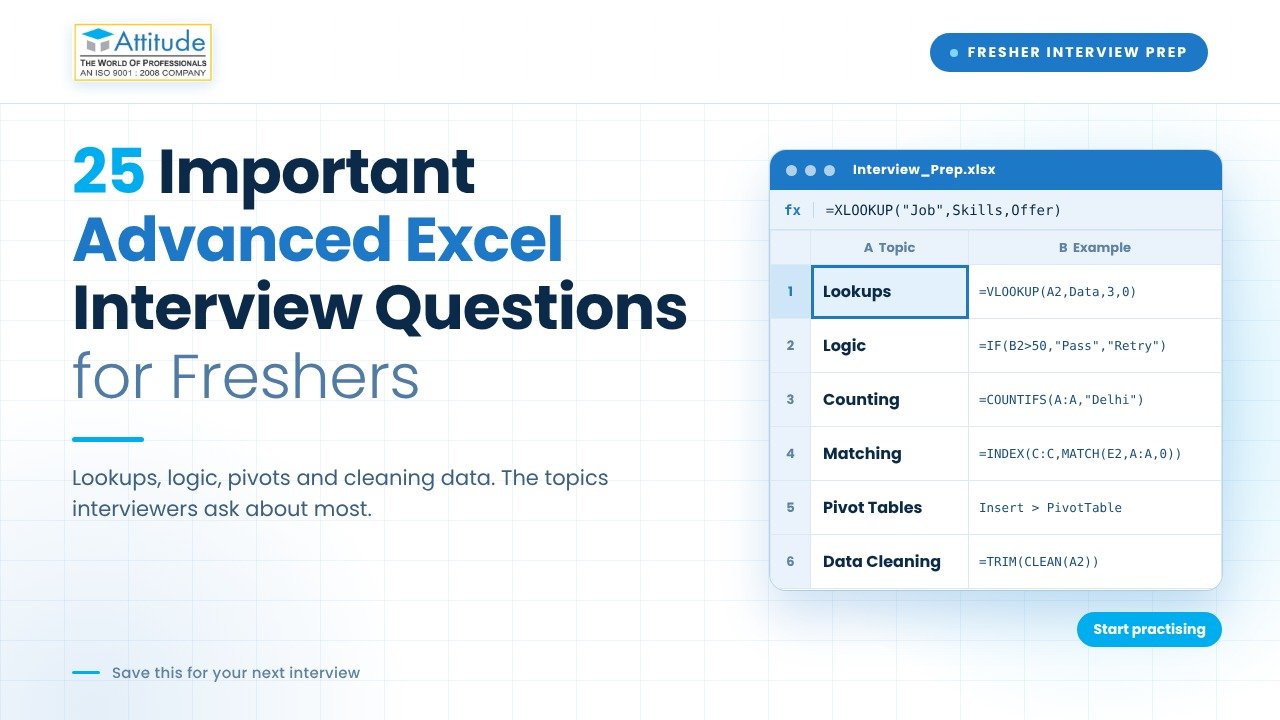
- What can’t VLOOKUP do? It only searches the first column of a table and can’t return values from its left. Adding a column can also shift its column number and give wrong results.
- Why do many people prefer XLOOKUP? It searches in any direction, matches exactly by default and lets you set a custom message when nothing is found. It needs Excel 2021 or Microsoft 365.
- How does INDEX with MATCH work? MATCH tells you which row holds your value, and INDEX fetches the entry from that row in any column you choose.
- How would you grade students using IF? Nest the tests: if marks are 80 or above show “A”, else if 60 or above show “B”, otherwise “C”.
- Difference between SUMIF and SUMIFS? SUMIF applies one condition, SUMIFS applies several. Total sales for Noida in November is a SUMIFS job.
- How do you join first and last names? Use & or TEXTJOIN. TEXTJOIN is handy because it adds a separator and ignores blank cells.
- What do LEFT, MID and RIGHT do? They pull characters from the start, middle or end of text, which helps in splitting an employee code like “DEL-0452”.
- What does IFERROR do? It replaces an error with something readable, such as 0 or “Not found”, so reports look clean.
- What do TODAY and DATEDIF help with? TODAY returns the current date, and DATEDIF measures the gap between two dates in days, months or years, useful for ageing reports.
Together, these make up the advanced excel formulas and functions that appear in nearly every practical test.
Round 3: Cleaning Raw Data
- How do you fix extra spaces? TRIM removes stray spaces. Without it, “Rahul “ and “Rahul” are treated as different entries in lookups.
- How do you split one column into two? Text to Columns splits by a delimiter, and Flash Fill copies a pattern you type once.
- What is Data Validation for? It controls what can be typed into a cell, such as a dropdown of department names, so entries stay consistent.
- What is Power Query? A tool that imports data from files or folders, cleans it and remembers each step, so next month’s refresh takes seconds.
Round 4: Reporting and MIS
These are the MIS interview questions that decide who gets the job.
- What is a Pivot Table? A drag-and-drop summary of large data by category, month or region, without writing formulas.
- What is a Slicer? A clickable filter button linked to a Pivot Table, handy for dashboards.
- How do you refresh a Pivot Table? Right-click and choose Refresh. Pivot Tables do not update automatically when the source data changes.
- What is a macro? A saved sequence of steps that repeats a task automatically. Macros run on VBA code.
- How can you stop others from editing a sheet? Use Review > Protect Sheet for locked cells, or set a password on the whole file.
- How would you build a weekly attendance report? Convert the data to a Table, add a Pivot Table by department, chart it, attach slicers, and finish with a short written observation. Narrating this flow impresses more than listing features.
How to Approach Student MIS Interview Preparation
Solid student MIS interview preparation means working on files, not only reading answers:
- Create a mock fee, stock or attendance sheet and produce a full report from it.
- Retype formulas by hand, since some tests disable suggestions.
- Practise explaining your logic aloud in one or two sentences.
- Learn a few shortcuts, such as Ctrl+T for Tables and Alt+= for AutoSum.
- If you don’t know an answer, describe how you would work it out.
Watch Our interview preparation page
Conclusion
Reading answers helps, but speed and confidence come from handling real data. If you want structured practice, consider an advanced MIS Excel course in Uttam Nagar or an advanced MIS Excel course in Yamuna Vihar that includes live assignments and report-building tasks. Spend a little time every day in Excel, and your answers will sound like experience rather than recall.
Frequently Asked Questions (FAQs)
1. Is Advanced Excel important for freshers?
Yes, Advanced Excel is useful for freshers applying for MIS Executive, Data Entry, Accounts Assistant, and Reporting Executive positions.
2. What are the most important Excel formulas for interviews?
VLOOKUP, XLOOKUP, IF, SUMIF, SUMIFS, COUNTIF, INDEX, MATCH, and IFERROR are commonly used in Excel practical tests.
3. What practical tasks are asked in Advanced Excel interviews?
Interviewers may ask candidates to create Pivot Tables, clean raw data, use lookup formulas, prepare reports, remove duplicates, and create dashboards.
4. What is the difference between VLOOKUP and XLOOKUP?
VLOOKUP searches for a value in the first column of a table, while XLOOKUP can search in any direction and return results from different columns.
5. Can I get an MIS Executive job after learning Advanced Excel?
Yes, Advanced Excel skills can help freshers apply for entry-level MIS Executive jobs, especially when combined with practical reporting and data management skills.