 by
by INTRODUCTION
Students often hear the words data and information used as if they mean the same thing.
In reality, they are very different.
This small difference matters a lot.
Especially for students learning computers, Excel, MIS, or office tools.
Understanding this concept helps in exams, jobs, and real workplace tasks.
It also builds strong fundamentals for technical courses.
Let’s break it down in the simplest way possible.
What Is Data?
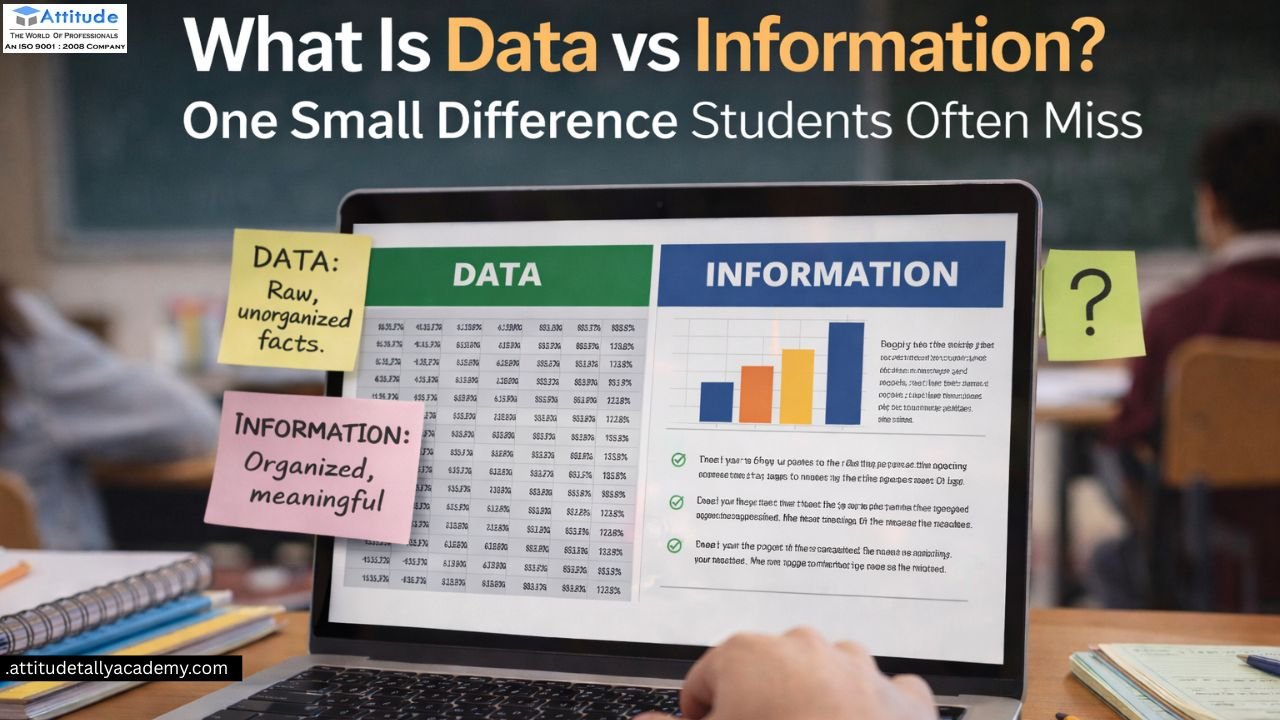
Data is raw.
It has no meaning on its own.
Data is a collection of facts, numbers, or symbols.
It is not processed or organized.
Examples of Data
-
Numbers like 45, 80, 92
-
Names written without context
-
Dates without explanation
-
Sales figures without labels
For example:
“120, 300, 450” is data.
You don’t know what it refers to.
Data is everywhere.
But by itself, it cannot help decision-making.
What Is Information?
Information is processed data.
It has meaning and context.
When data is sorted, analyzed, or explained, it becomes information.
Examples of Information
-
“Total sales for March are 450 units”
-
“Student scored 92 marks in Excel test”
-
“Attendance increased by 15% this month”
Information answers questions.
It helps people understand results and take action.
The One Difference Students Often Miss
The biggest difference is meaning.
-
Data is raw and unorganized
-
Information is processed and useful
Many students memorize definitions.
But they fail to apply the concept.
This creates confusion in:
-
Computer exams
-
Excel practicals
-
MIS reports
-
Office work simulations
Once you understand this difference, everything becomes clearer.
Why This Concept Is Important for Students
This topic is not just theory.
It is used in real skills.
You Need It For:
-
Excel formulas and reports
-
MIS dashboards
-
Office documentation
-
Data analysis tasks
-
Computer application courses
In Excel, raw numbers mean nothing.
Reports and charts convert data into information.
That is why students in advanced excel training in yamuna vihar focus strongly on this concept.
Data vs Information: Simple Comparison Table
| Basis | Data | Information |
|---|---|---|
| Meaning | Raw facts | Processed data |
| Use | Input | Output |
| Organization | Unorganized | Organized |
| Value | Low | High |
| Decision Making | Not possible | Possible |
This table is often asked in exams.
It is also used in interviews.
How Excel Converts Data into Information
Excel is a powerful tool.
But it works only when concepts are clear.
Excel helps you:
-
Sort raw data
-
Apply formulas
-
Create summaries
-
Build charts
For example:
A list of monthly expenses is data.
A budget summary is information.
Students learning MS Excel Training in Uttam Nagar practice this daily through real tasks.
Role of Data and Information in MIS
MIS stands for Management Information System.
It depends completely on this concept.
MIS Process
-
Collect data
-
Process data
-
Generate information
-
Support decisions
Wrong data gives wrong information.
Correct data gives valuable insights.
This is why MIS students must understand this difference clearly.
Why Beginners Should Learn This Early
Many students start learning computers without basics.
This causes problems later.
Understanding data and information helps beginners in:
-
Word documents
-
Excel sheets
-
Office reports
-
Computer exams
That is why basic computer classes in yamuna vihar include this topic early.
Strong basics create strong professionals.
Common Mistakes Students Make
Students often make these mistakes:
-
Using both terms interchangeably
-
Memorizing definitions only
-
Ignoring real examples
-
Skipping practical practice
Avoid these mistakes.
Always connect theory with daily examples.
Real-Life Example Students Can Relate To
Marks written on paper are data.
Result analysis is information.
Attendance numbers are data.
Monthly attendance report is information.
Mobile numbers saved randomly are data.
Contact list with names is information.
Once students see this, the concept sticks forever.
How This Knowledge Helps in Career Growth
This concept helps in many roles:
-
Data entry operator
-
MIS executive
-
Office assistant
-
Excel analyst
Even simple office jobs require data handling.
Students searching for computer coaching near me often don’t realize how important this topic is.
Choosing the Right Learning Environment
Students should learn in a place where:
-
Concepts are explained with examples
-
Practical tasks are included
-
Doubts are encouraged
-
Industry-based tools are taught
A good Computer Training Institute in Uttam Nagar focuses on understanding, not memorization.
Such learning helps students perform confidently in exams and workplaces.
Final Thoughts
Data and information look similar.
But their difference is powerful.
This single concept improves:
-
Computer knowledge
-
Excel performance
-
MIS understanding
-
Job readiness
Students who understand this early always perform better.
Learn basics deeply.
Practice regularly.
Ask questions freely.
That’s how small concepts create big success. VISIT USS….
Suggested Links