 by
by Introduction
Learning AutoCAD opens doors to careers in design, engineering, architecture, interiors, and manufacturing. Students often understand the tools but struggle to apply them in real situations. Real-world project practice solves this. It helps students gain confidence, build portfolios, and understand how industries work.
If you are learning from an AutoCAD Training Institute in Yamuna Vihar or an the best way to grow is by working on projects that reflect actual design challenges. These projects prepare students for jobs and improve problem-solving skills.
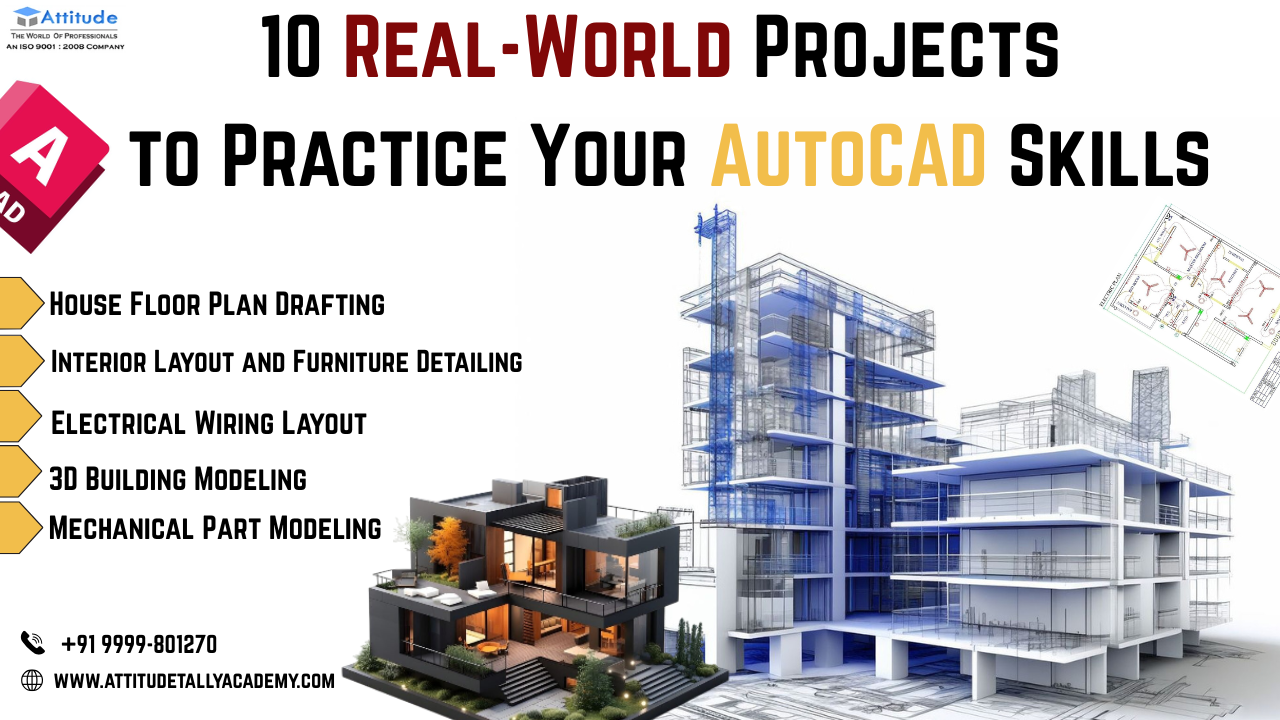
Below are ten real-world projects that help every student strengthen their AutoCAD skills.
1. House Floor Plan Drafting
Creating a house plan is one of the most important exercises for beginners. It teaches:
- Wall placements

- Door and window detailS
- Dimensioning
- Layer management
Students can start with a simple 1BHK plan and then move to bigger layouts. This project builds a strong foundation for architecture and interior design careers.
2. Interior Layout and Furniture Detailing
Interior layouts help students understand space planning. You learn how furniture fits inside a room and how circulation works.
This project improves creativity and precision. It is extremely useful if you plan to join Interior Designing Course in Uttam Nagar.
3. Electrical Wiring Layout
Electrical plans are used in residential and commercial projects. Students must create:
- Switchboard locations
- Fan and light positions
- Circuit paths
- Distribution board design
This project teaches accuracy and symbols used in industry drawings.
4. Mechanical Part Modeling
Mechanical students benefit from 2D drafting of machine parts. It includes:
- Sections
- Dimensions
- Tolerances
- Isometric views
Those interested in tools like SolidWorks or 3Ds Max can build stronger basics through this. Many learners preparing for Solid Works Training/Institute in Yamuna Vihar or Solid Work Course in Uttam Nagar use this project for practice.
5. 3D Building Modeling
3D modeling helps students visualize spaces better. You create walls, slabs, stairs, and roofs in three dimensions.
This project is ideal for learners planning to move to Revit or 3Ds Max later. It also helps students who aim to study further at 3Ds Max Training Institute in Yamuna Vihar or Revit Training Institute in Uttam Nagar.
6. Plumbing and Sanitary Drawings
Plumbing drawings teach how water flows inside a building. Students learn to draw:
- Drainage lines

- Water supply lines
- Bathroom fittings
- Kitchen plumbing details
This project builds understanding of engineering systems used in real construction.
7. Site Layout Plan
A site layout includes boundaries, parking, pathways, landscaping, and building positions.
This project teaches scale control and overall site planning skills. Students interested in architecture and civil engineering often include this in their project portfolio.
8. Staircase Detailing
Staircases look simple but require careful design. Students learn:
- Riser and tread calculations
- Landing detail
- Handrail placement
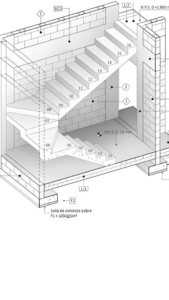
- Section drawings
This project improves calculation skills and precision in
9. Manufacturing Drawing for Sheet Metal
Sheet metal drawings are commonly used in industries. Students create flat patterns, bends, and cutouts.
Those planning for engineering design roles find this project extremely helpful.
10. Complete Residential Project (Start-to-Finish)
This is the most important real-world project for students. It includes:
- Concept drawing
- Floor plan
- Elevation
- Section

- Electrical plan
- Plumbing plan
- Door/Window schedule
Completing this project builds confidence. It also strengthens a portfolio for job interviews.
Why Real-World Projects Make AutoCAD the Best Choice for Students
1. High Demand Across Industries
AutoCAD is used in architecture, interiors, civil engineering, mechanical design, product design, and manufacturing.
This gives students flexibility to choose different career paths.
2. Easy to Learn and Apply
AutoCAD is simple and beginner-friendly. Students can start with 2D drafting and move to advanced tools. Short projects help them practice every tool they learn.
3. Builds Strong Technical Thinking
Projects force students to think like professionals. They learn:
- How drawings are used on site
- How measurements affect design
- How accuracy affects construction
This builds technical confidence.
4. Enhances Job Opportunities
Companies prefer students who can work on real-world drawings. A strong portfolio with practical projects improves placement chances.
Students from areas that offer AutoCAD Classes in Yamuna Vihar training in 3Ds Max, Revit, SolidWorks, and Interior Design often get more opportunities when they add these projects to their resume.
5. Supports Learning of Advanced Tools
Software like Revit, 3Ds Max, SolidWorks, and SketchUp become easier when students have a strong AutoCAD base.
For example:
- Revit Architecture requires understanding of plans and sections.
- 3Ds Max requires knowledge of 3D elements.
- SolidWorks needs strong drafting basics.
AutoCAD projects help students transition smoothly to these tools.
Tips for Students Practicing AutoCAD Projects
- Start with simple projects.
- Learn layer management properly.
- Follow standard symbols and conventions.
- Maintain clean and organized drawings.
- Create a portfolio folder for every project.
Consistent practice makes students job-ready and confident.
Conclusion
Real-world projects help students understand how professionals work. AutoCAD becomes easier, more meaningful, and more useful when you apply your skills to actual design problems.
Whether you are studying engineering, architecture, or interior design, these ten projects will strengthen your skills and improve your career prospects.
If you are searching for structured learning, many institutes nearby provide training in AutoCAD, Revit, 3Ds Max, SolidWorks, and Interior Design. You can check centers similar to an AutoCAD Coching Centre in Yamuna Vihar, AutoCAD Coching Institute in Uttam Nagar, or other technical training institutes offering hands-on project learning. Choose an institute that focuses on practical work, real-world assignments, and industry-level guidance visit us……